Old photographs hold memories, but time can leave them faded, scratched, blurry or torn. Gemini can help improve a scanned picture by cleaning visible damage, balancing tones and restoring detail while keeping the original person recognisable.
The ten prompts in this guide cover different restoration needs, from simple scratch removal to careful colourisation and blur reduction. Upload a clear scan, choose the instruction that matches your photo and review the result against the original.
10 Best Old Photo Restoration Prompt Gemini: Best AI Prompts for 4K Results
If you also create portraits or other AI edits, explore our Google Gemini AI photo editing prompts, Gemini photo making prompts, aesthetic photo prompts and realistic AI photo prompts for more ideas.
Use these Gemini photo restoration prompts as starting points. Each one focuses on a specific problem while asking the tool to protect the subject’s identity, expression and original composition.
1. Old Photo Restoration Prompt Gemini for Damaged Images
Use this instruction when an old print has visible scratches, stains or folds. Ask Gemini to clean the surface while keeping the person and scene unchanged. Check the face closely after generation, because tiny marks near the eyes or mouth can cause unwanted changes.
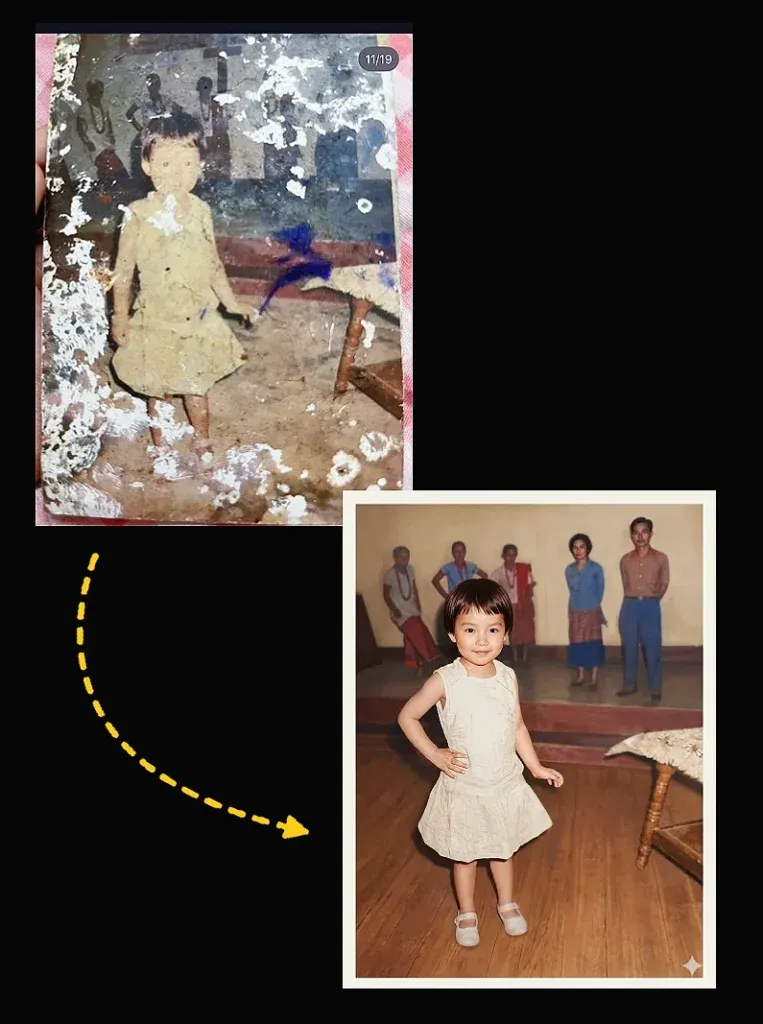
2. Old Photo to New Photo AI Prompt for Modern Results
Choose this prompt when you want a faded vintage picture to look clearer and more current without changing its subject. It focuses on exposure, colour balance and gentle sharpening while keeping the original pose, expression, clothes and setting intact.
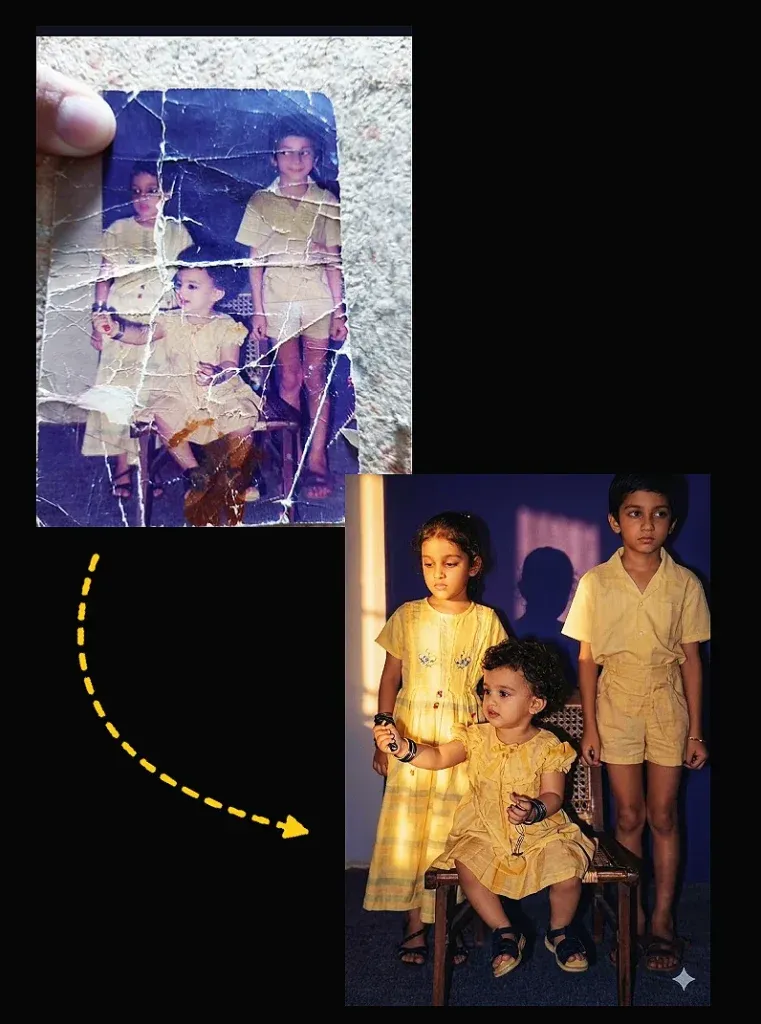
3. Old Photo Restoration AI Prompt for Realistic Enhancement
This option is for photographs that look flat, noisy or faded. It asks for careful detail recovery and restrained noise reduction. The aim is a cleaner scan, not a newly invented face or a heavily filtered portrait.
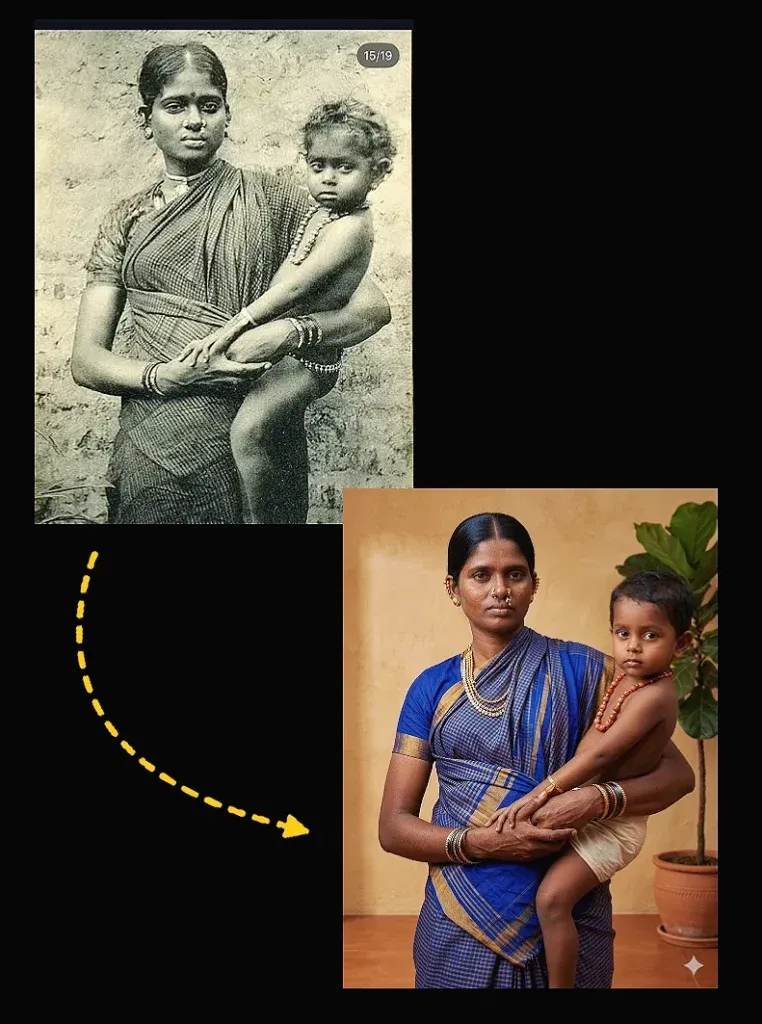
4. Best Prompt for Old Photo Restoration in Gemini (Cinematic Style)
A subtle cinematic treatment can improve depth in an old portrait, but it should not rewrite the photograph. This prompt keeps the original setting and subject while gently balancing highlights, shadows and contrast for a polished yet believable result.
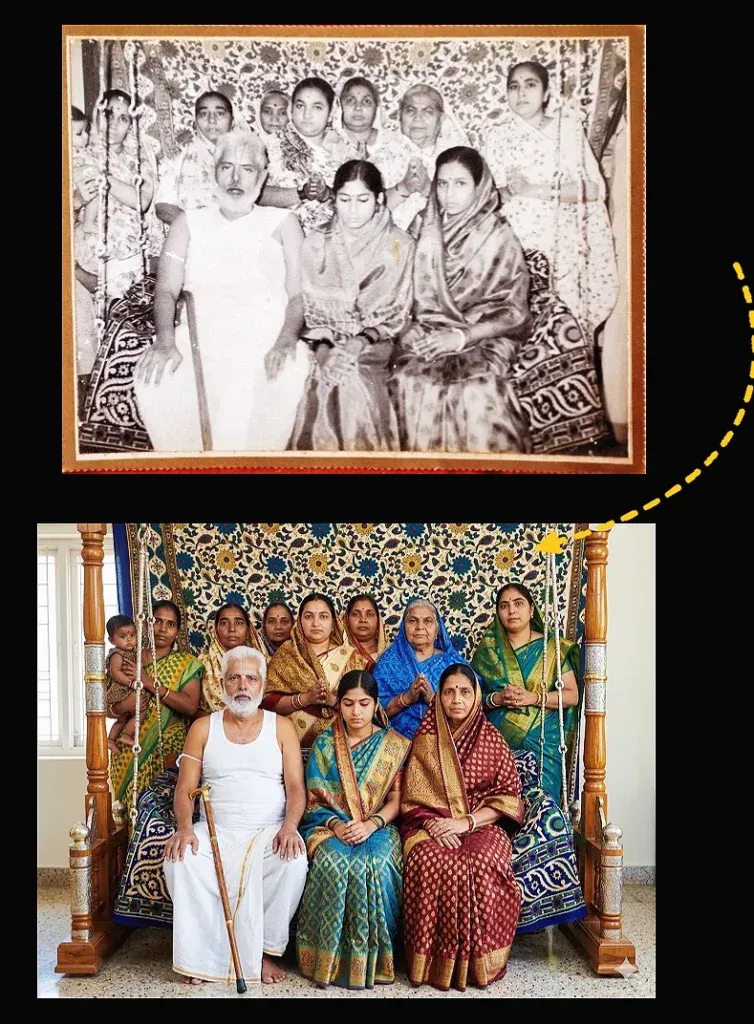
5. Old Photo Restoration AI Prompt Free for Accurate Results
Use this restoration instruction for a straightforward repair without complicated effects. It targets common print damage and asks Gemini to preserve facial proportions, age, clothing and background. Always compare the output with the source before keeping it.

6. AI Prompt to Restore Old Photos with Natural Colors
Colourisation works best when the original light and shapes remain clear. This prompt asks Gemini to add restrained, plausible colours to a monochrome image while preserving the original person, clothing, shadows and overall atmosphere.
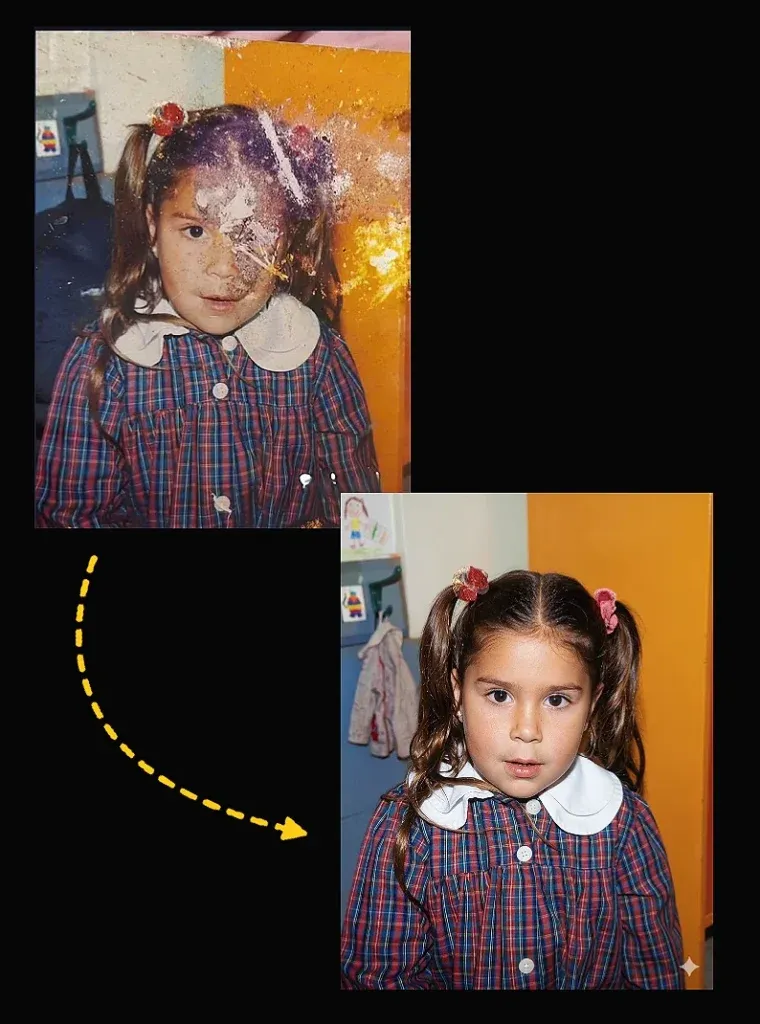
7. Old Damaged Photo Restoration Prompt Gemini for Deep Repair
For badly torn or stained prints, this prompt asks for conservative reconstruction based on nearby image information. It also reminds the tool not to invent important facial features or large parts of the scene that cannot be seen.
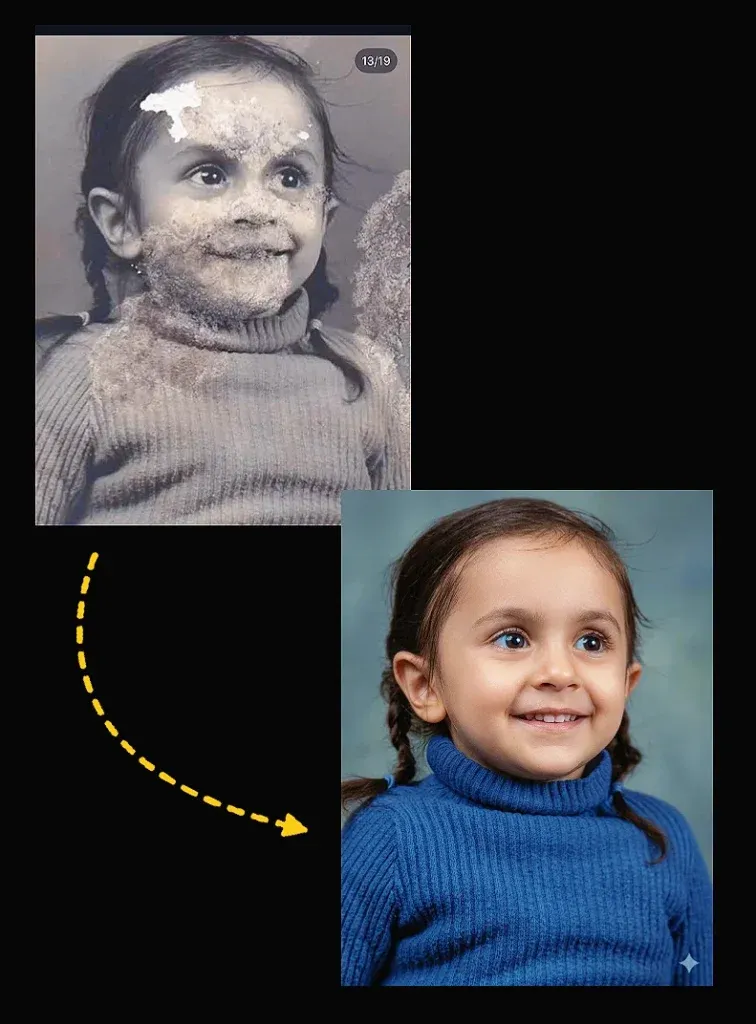
8. Old Blurry Photo Restoration Prompt Gemini for Sharp Results
When the source image is soft or out of focus, use this prompt for gentle sharpening and noise reduction. It asks the tool to improve visible edges without creating false details or changing the subject’s face.

9. Gemini Old Photo Prompt for DSLR-Level Quality
This prompt aims for a clean, high-resolution result while retaining the photograph’s original character. It improves tonal range and visible texture but avoids artificial skin, halos and excessive sharpening.
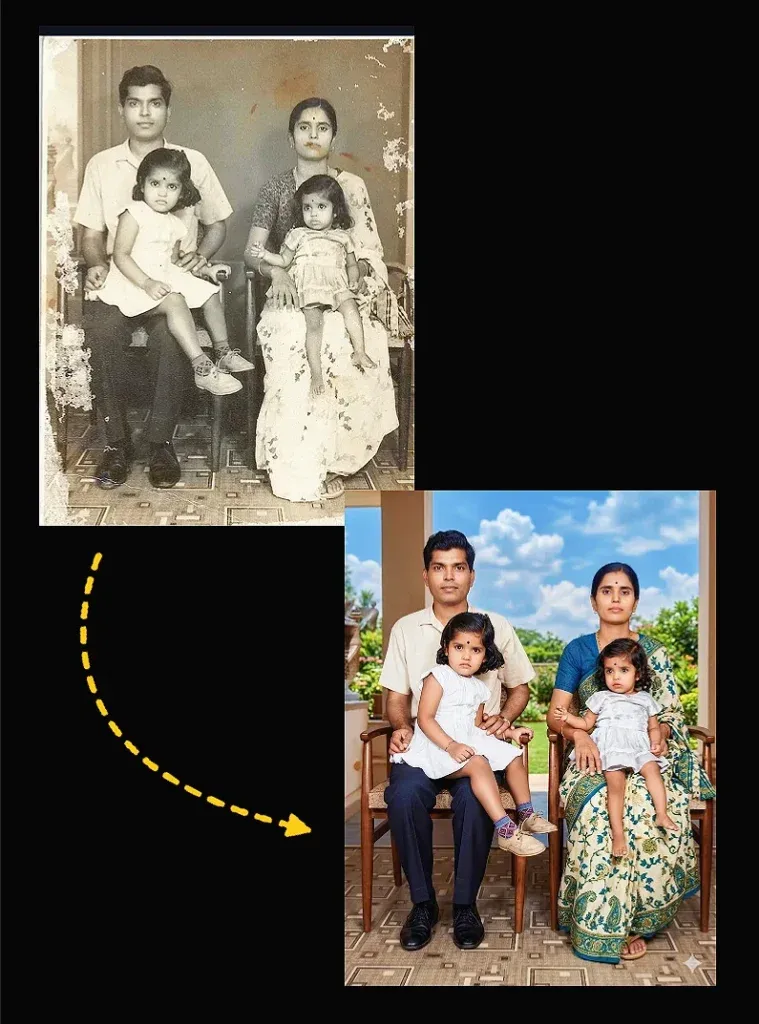
10. Old Black and White Photo Restoration Gemini Prompt
Use this prompt to restore and colourise a monochrome family photograph. It requests natural, understated tones and asks Gemini to preserve identity, clothing, expression and lighting instead of adding modern styling or accessories.
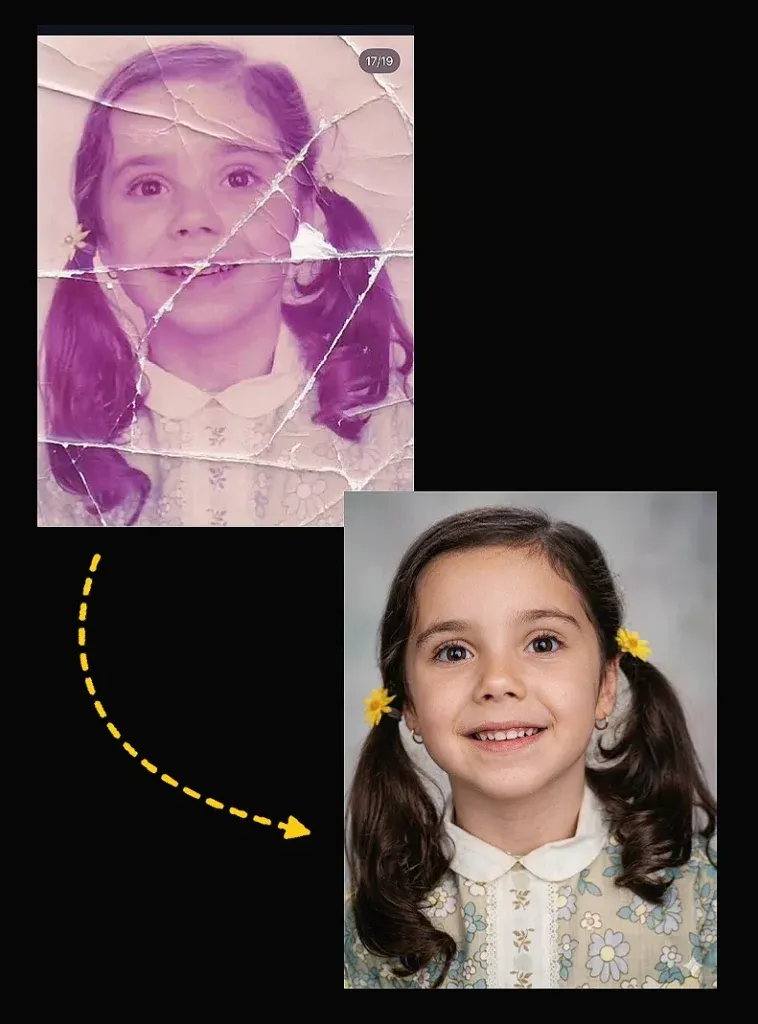
Old photographs hold memories, but time can leave them faded, scratched, blurry or torn. Gemini can help improve a scanned picture by cleaning visible damage, balancing tones and restoring detail while keeping the original person recognisable.
AI cannot always recover information that has disappeared from a damaged print. It may estimate missing details, especially around faces. Keep the original file, compare every result carefully and avoid treating generated details as historically exact.
For best results, begin with a high-quality scan and use one restoration goal at a time. If Gemini changes a face or adds details, refine the instruction to prioritise identity and compare the new version with your original.