Create a Banjara-inspired portrait with rich textiles, colorful embroidery, mirror-work details, and traditional silver jewelry. A clear prompt helps guide the outfit, lighting, pose, and background so the final AI image feels intentional rather than overloaded.
This guide brings together twelve Banjara-inspired portrait concepts, from close-up jewelry details to outdoor lifestyle scenes. Treat them as creative starting points and personalize colors, clothing, framing, and mood to suit your own idea.
You can use these prompts to explore traditional attire, festive styling, and cinematic portrait photography. If you upload a reference photo, use an image you have permission to use and clearly state which facial features should remain consistent.
What Is a Banjara Prompt (And Why Everyone’s Using It)?
A Banjara prompt is a text instruction for an AI image tool that describes a portrait inspired by Banjara clothing, accessories, colors, and visual styling. It can specify mirror work, embroidered fabric, jewelry, lighting, and the setting.
Useful visual details include:
- Mirror work embroidery
- Silver coin jewelry
- Vibrant colors (red, yellow, green)
- Cinematic lighting and depth
- Authentic tribal styling
The strongest prompts describe the outfit, accessories, light, pose, and composition in concrete terms. Mention the most important elements first, then add background and camera style so the image generator has a clear visual direction.
Keep the result respectful and avoid treating one outfit as representative of every Banjara community or regional tradition. Clothing and adornment can vary, so use specific reference details when cultural accuracy matters.
Best Banjara Prompt ChatGPT for Girls (Instagram Trending Look)
Choose a concept below and copy the matching prompt from the box after its image. Change the clothing colors, accessories, pose, or location to fit your desired portrait.
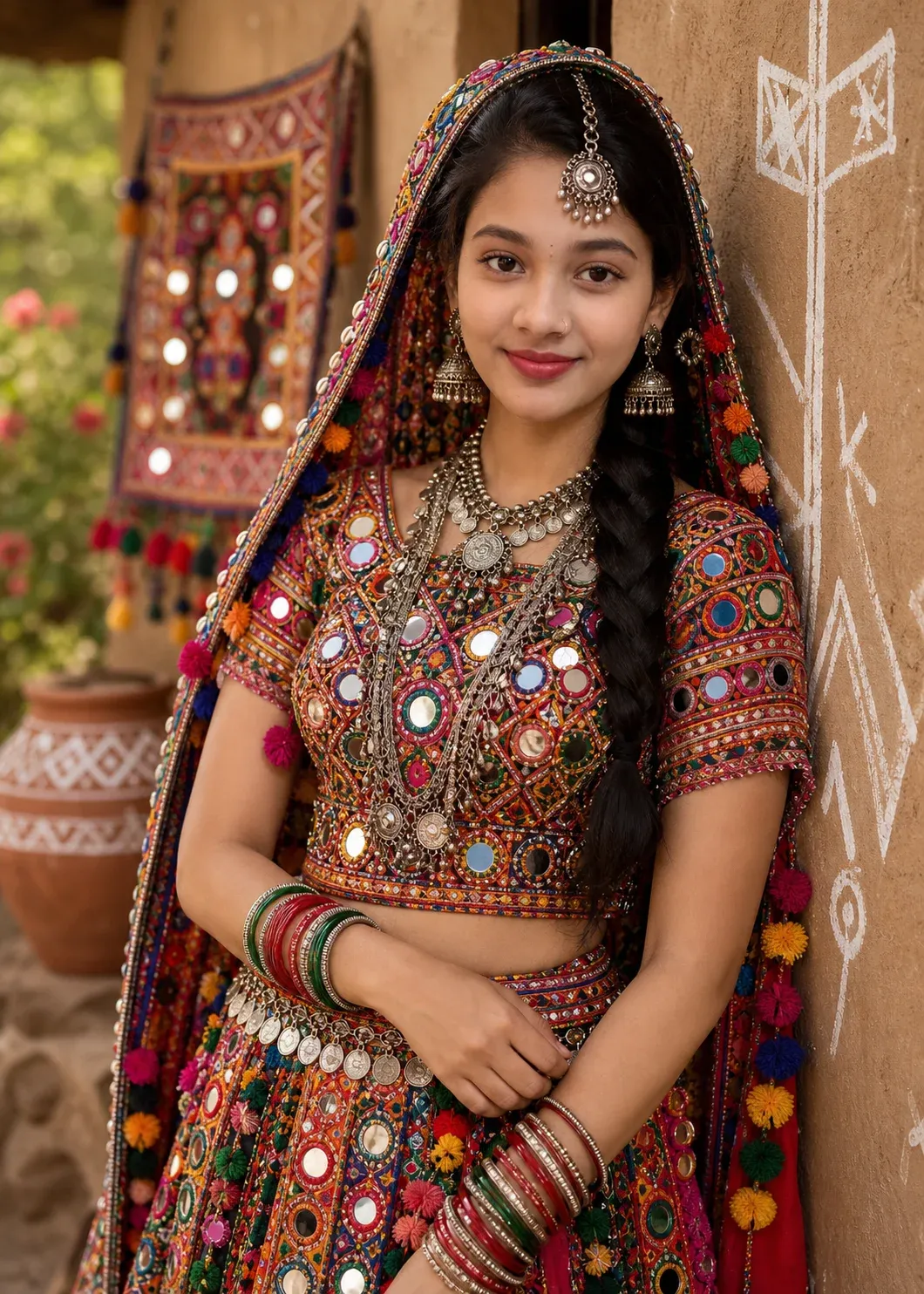
1. Cinematic Banjara Tribal Attire Prompt for Realistic Portraits
This prompt focuses on a detailed Banjara-inspired portrait with mirror-work fabric, silver jewelry, and soft natural light. Ask for realistic skin texture, visible embroidery, gentle expression, and a clean background that keeps attention on the outfit.
2. Dramatic Banjara Look Prompt with Spotlight Effect
For a bold portrait, use a focused spotlight, deeper shadows, and a confident pose. Describe the traditional-inspired attire and jewelry clearly, while keeping facial features natural and the background simple enough to avoid competing with the subject.

3. Photorealistic Banjara Dress Prompt with Festive Background
Combine colorful embroidery and mirror-work details with a festive outdoor or courtyard setting. Add warm decorative lights, realistic fabric texture, and cinematic depth, while keeping the colors balanced and the subject sharply focused.
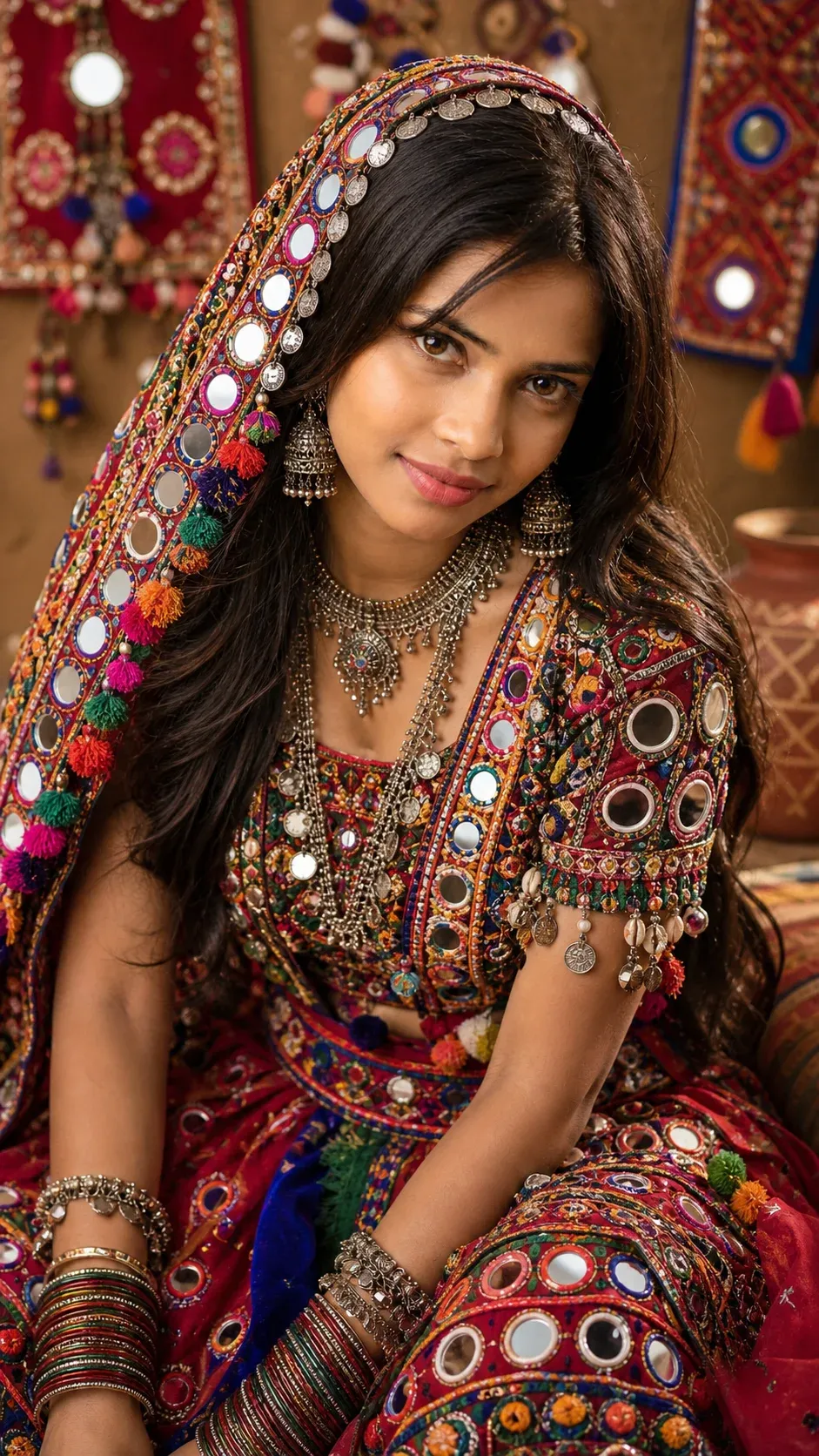
4. Traditional Banjara Jewelry-Focused AI Prompt
Make the jewelry the main feature in a close-up portrait. Describe layered silver coins, bangles, earrings, and a traditional headpiece with visible texture. Use soft directional lighting and realistic proportions so the accessories remain detailed rather than merging together.

5. Golden Hour Banjara Girl Prompt for Instagram Aesthetic
This concept uses warm golden-hour light, gentle shadows, and a relaxed portrait pose. Pair a Banjara-inspired outfit with a natural background and subtle color grading for a polished Instagram aesthetic without excessive retouching.
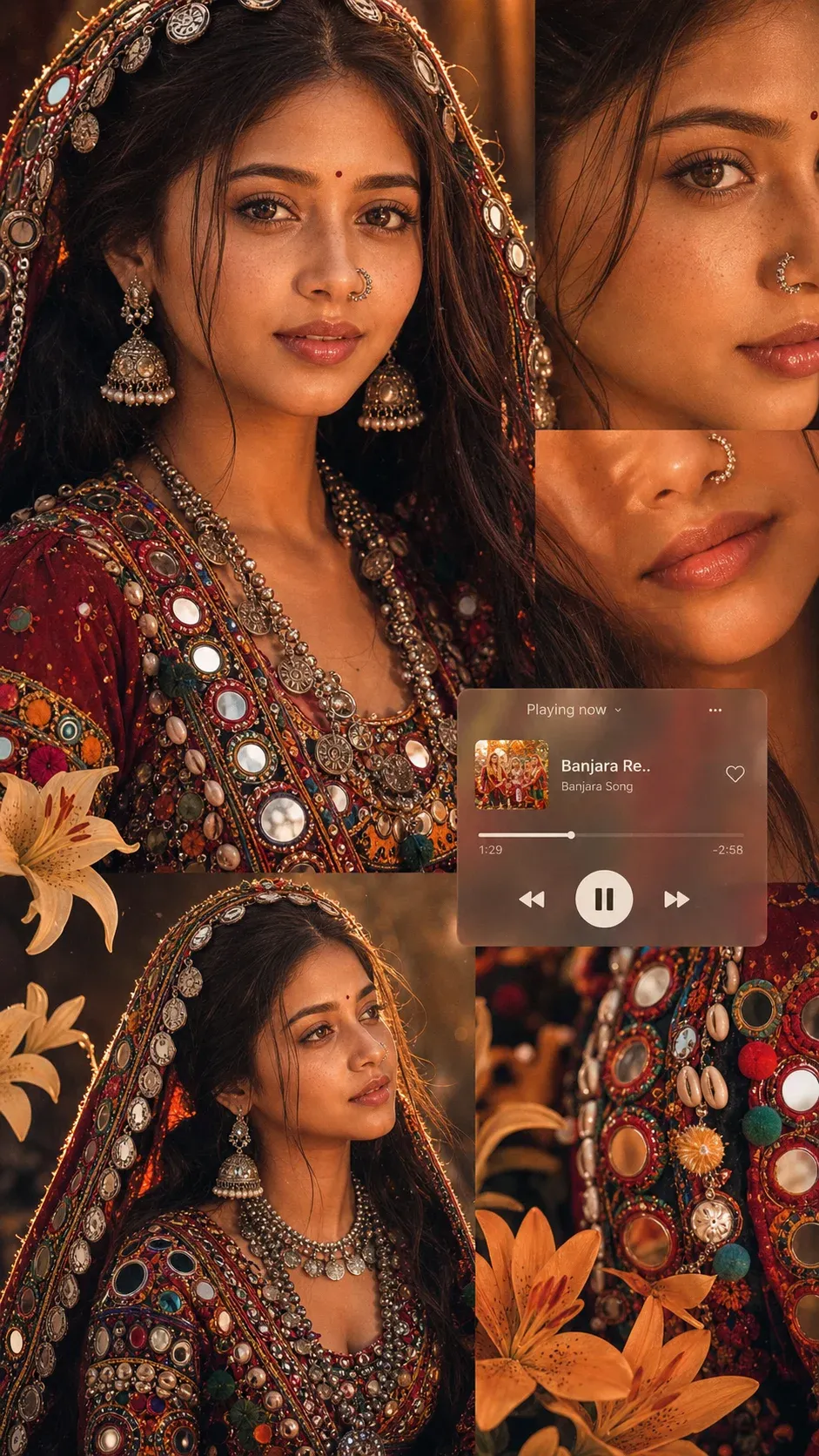
6. Advanced Banjara Prompt ChatGPT with Face Preservation
If you want to retain your appearance, upload a clear reference photo and ask the image tool to preserve the face, hairstyle, and expression while changing the clothing and setting. Results can vary, so check facial likeness and hands before using the image.

7. Vibrant Lambadi (Banjara) Cultural Portrait Prompt
Create a vibrant cultural portrait with embroidered fabric, mirror-work embellishments, and layered accessories. Use a natural expression and a setting that supports the outfit, avoiding stereotypes or invented cultural symbols when you want a more authentic result.

8. Regal Cinematic Banjara AI Prompt with Golden Lighting
This concept emphasizes dramatic golden lighting, detailed textures, and a cinematic composition. Keep the face naturally lit, allow the embroidery to catch the light, and use a softly blurred background for a premium portrait effect.
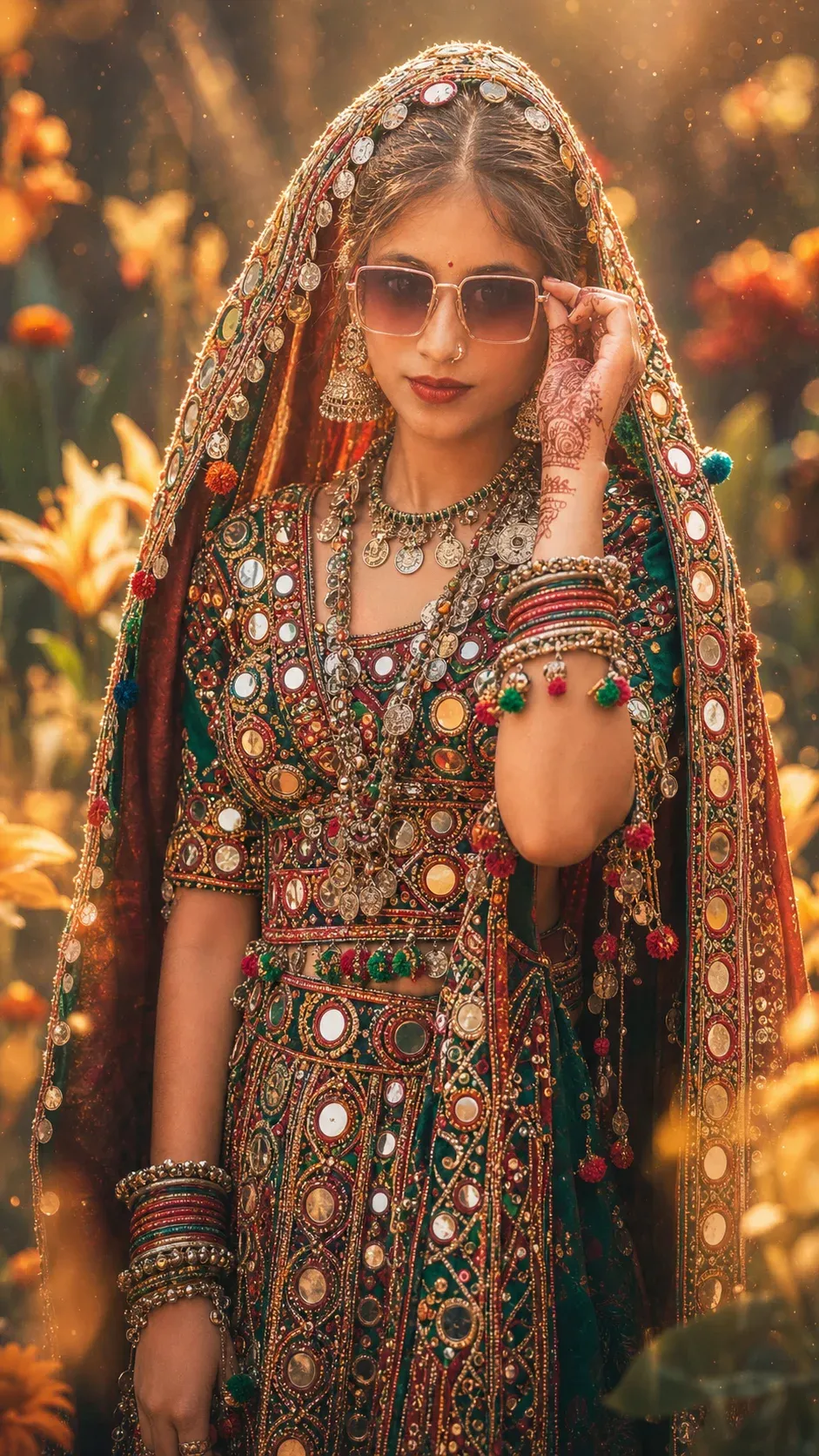
9. Minimal Natural Light Banjara Traditional Look Prompt
For a more understated look, use diffused daylight, a neutral background, and a simple pose. Keep the traditional-inspired outfit and jewelry visible without adding heavy effects, strong filters, or unnecessary decorative elements.
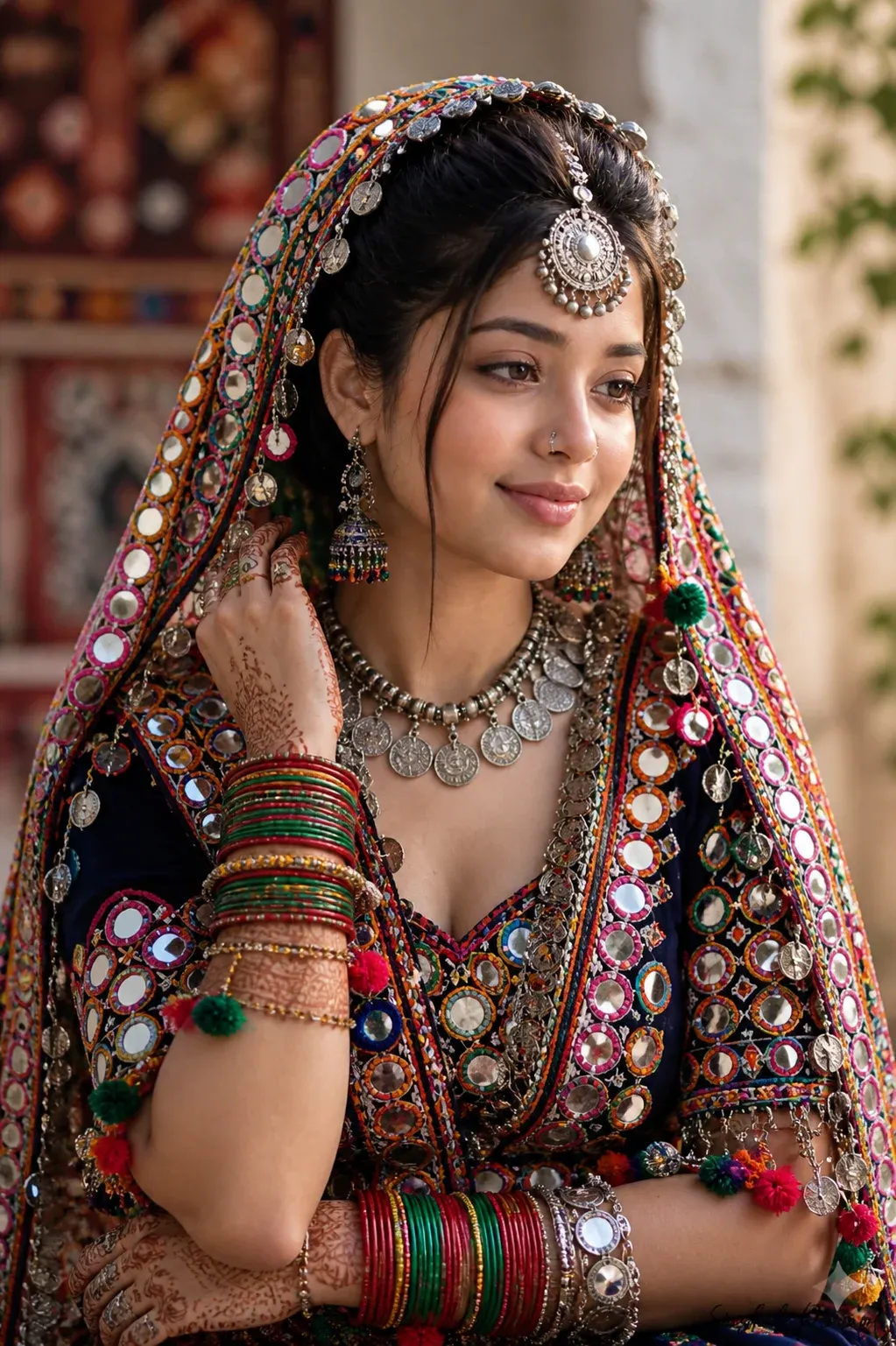
10. Ultra-Realistic Banjara Outfit Prompt with Velvet Detailing
Highlight velvet-like fabric, geometric embroidery, and fine decorative stitching in a close or medium portrait. Request realistic textile texture, controlled highlights, and a refined background so the clothing details remain the focus.

11. Mirror Scene Transformation Banjara Prompt ChatGPT
Transform an indoor portrait into a cinematic scene with a softly lit outdoor background, subtle bokeh, and festive atmosphere. Describe the original pose and face if using a reference photo, and keep the lighting direction consistent across the scene.

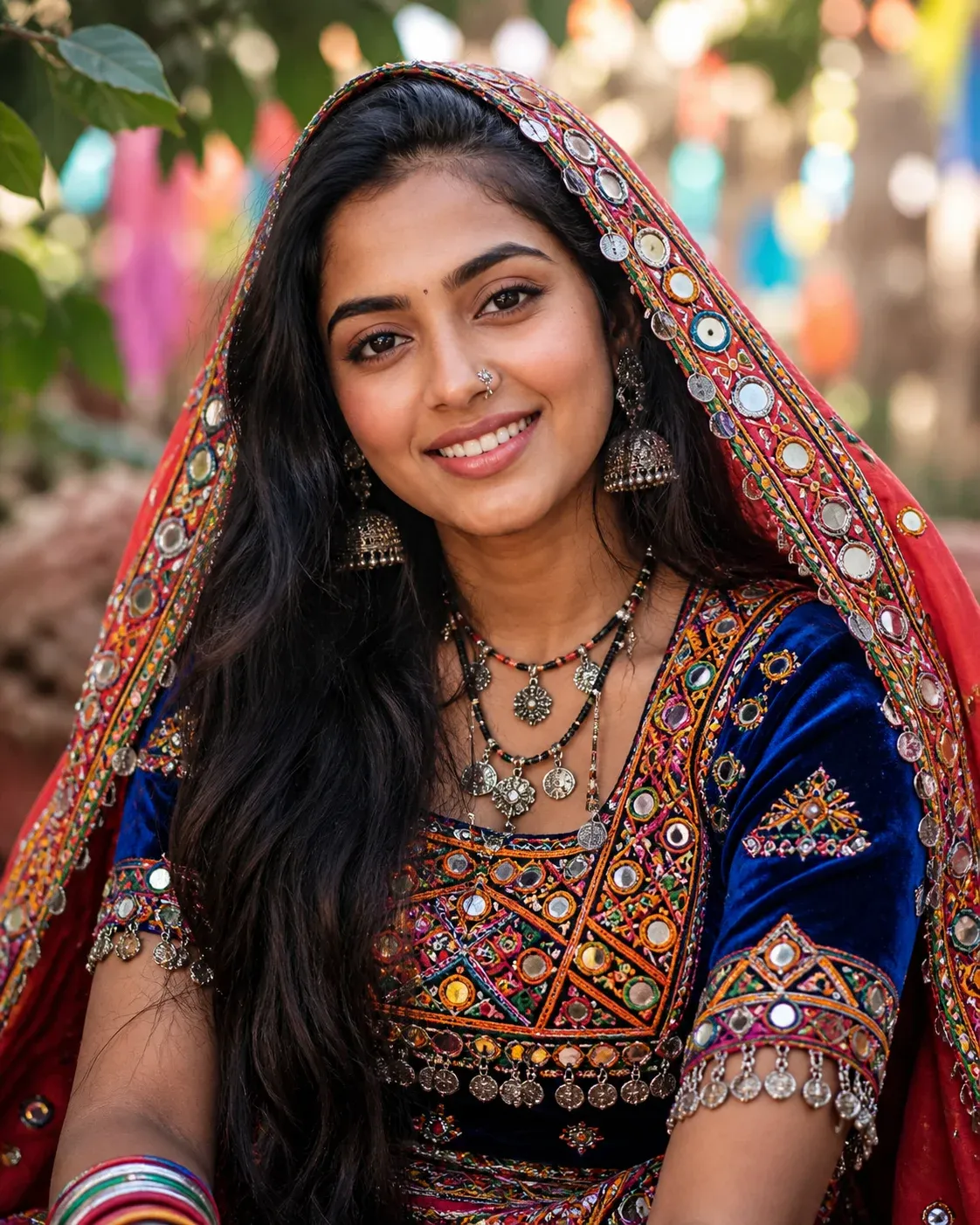
12. Outdoor Banjara Village Style Prompt with Natural Bokeh
Place the subject outdoors in natural light with a softly blurred background and relaxed lifestyle framing. Focus on realistic colors, clear garment details, and a natural expression rather than artificial skin smoothing or excessive glow.
FAQs
What is a Banjara prompt in ChatGPT?
A Banjara prompt describes the clothing, accessories, lighting, pose, and setting for an AI-generated portrait inspired by Banjara styles. Specific details help the image generator create a more coherent composition.
How do I use a Banjara prompt to create AI photos?
Copy one prompt into your chosen AI image generator. If you want the image to resemble you, upload a suitable reference photo and describe what should stay the same. Generate the image, review the result, and refine individual details as needed.
Which is the best Banjara dress prompt for beginners?
Beginners can start with a simple outfit description, a few accessories, and natural lighting. Once the first result looks right, add more detail about embroidery, background, or camera framing instead of changing everything at once.
Why are Banjara prompts trending on Instagram?
Banjara-inspired portraits can attract attention because of their vivid textiles, detailed adornments, and strong visual contrast. Results and engagement are never guaranteed, but a thoughtful composition can make an image more distinctive.
Can I use Banjara prompts for Instagram profile photos?
Yes. You can adapt a prompt for a profile photo by choosing a clear crop, a simple background, and visible clothing details. Keep the face well lit and avoid accessories covering too much of the subject.
What makes a Banjara prompt more realistic?
To improve realism, specify fabric texture, embroidery placement, jewelry materials, light direction, and camera framing. Use a reference image when accurate details matter, and expect to refine small errors in the generated result.
Are Banjara prompts suitable for new AI users?
Yes. Ready-made prompts are useful starting points for new users. Copy one, personalize a few details, and make gradual changes after reviewing the first output.
Final Words:
These Banjara-inspired prompt ideas can help you explore traditional styling, detailed jewelry, and cinematic portrait looks. Choose a concept that suits your taste, describe the details clearly, and refine the image in small steps.
This guide includes ideas ranging from dramatic portraits to natural outdoor looks. You can also explore our Instagram trending photo prompts, Gemini photo-making prompts, Google Gemini photo-editing prompts, and viral Instagram photo prompts for more inspiration.
Experiment with expressions, lighting, and backgrounds to develop a consistent visual style. Small adjustments to one or two prompt details can make it easier to understand what improves the result.
Save the concepts you like and test them with your own creative direction. Use clear instructions, check the final image carefully, and avoid assuming that a generated result will be perfect on the first try.
Focus on a clear subject and a well-described scene rather than relying on a vague instruction. Thoughtful details about clothing, pose, lighting, and composition help give the image generator a stronger starting point.