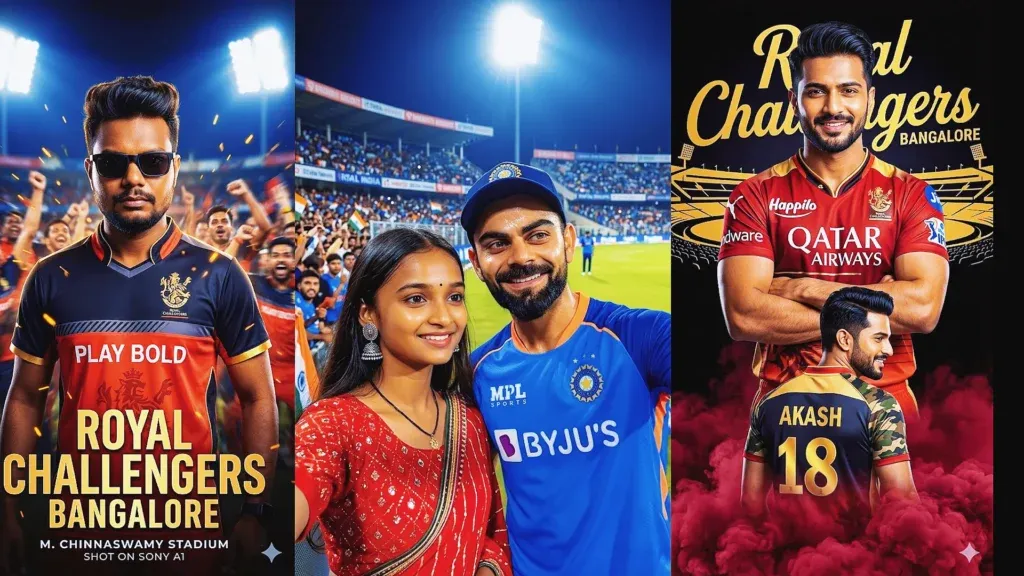
Create bold Royal Challengers Bengaluru fan art with a clear subject, recognizable red-and-black jersey styling, dramatic stadium lights, and a polished cricket-poster composition. These RCB Gemini prompts help you plan jersey edits, supporter portraits, victory scenes, and social-ready designs.
This collection includes nine RCB prompt ideas for different looks, from team celebration selfies to personalized jersey posters. For more reliable results, describe the subject, pose, kit colors, setting, camera angle, lighting, and any text separately instead of relying on a short generic request.
Use each idea as a starting point and adjust it to suit your own photo or creative concept. AI-generated team kits, player likenesses, logos, and lettering may not be perfectly accurate, so review the result and regenerate or refine details when needed.
Why Gemini RCB Prompts Are So Popular
RCB image prompts appeal to cricket fans because they combine team identity, personal photo edits, and dramatic sports-poster styling. A well-planned prompt gives the image generator clearer guidance about the scene and the final visual mood.
- cricket fandom
- personal photo editing
- social media-ready poster aesthetics
Rather than asking for a generic cricket image, decide what the poster should communicate. You might want a celebratory team selfie, a trophy moment, a close-up jersey portrait, a stadium scene, or a back-view fan design with bold lettering.
Specific instructions usually make a prompt easier for an image generator to follow. State the main subject first, then describe the jersey, background, lighting, framing, mood, and any text you want included.
Best RCB Prompt Google Gemini for Realistic Cricket Images
Choose one of the following concepts, copy its prompt from the box below the matching image, and personalize the details before generating. Upload a reference photo only when you want the result to use your appearance or pose.
1. Ultimate RCB Team Selfie Celebration
Use this concept for a victory selfie with an RCB supporter in the foreground and a jubilant team celebration behind them. Describe red-and-black jerseys, a packed cricket stadium, bright floodlights, confetti, and a trophy-centered composition. Keep faces natural, hands realistic, and the foreground subject sharply focused.
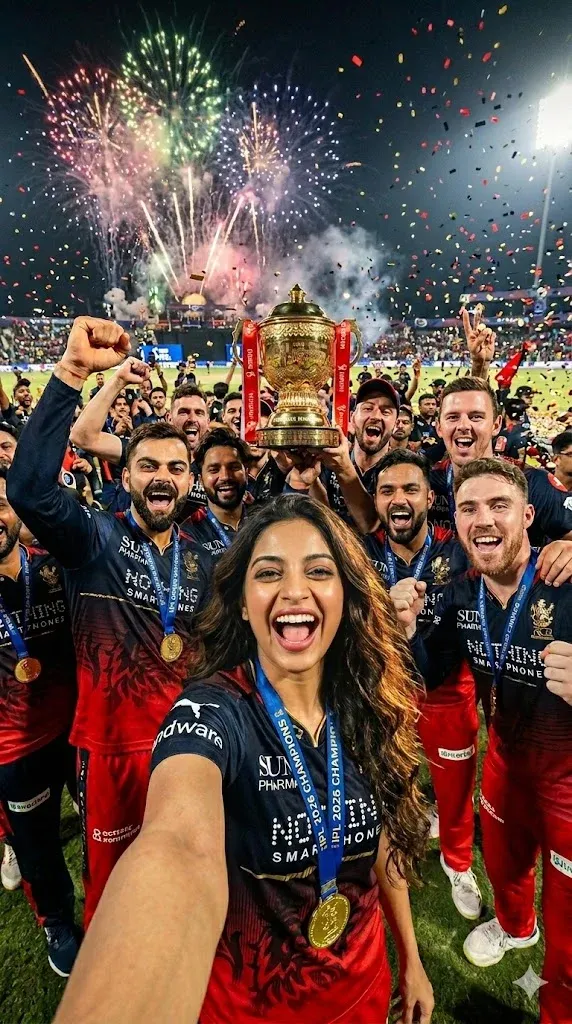
2. Historic IPL 2026 Champions Selfie
This idea creates a championship-style selfie with excited supporters and a lively stadium atmosphere. Ask for coordinated RCB-inspired jerseys, believable expressions, bright match lights, confetti in the air, and balanced framing. Treat the championship setting as a fictional creative scene rather than proof of a real event.
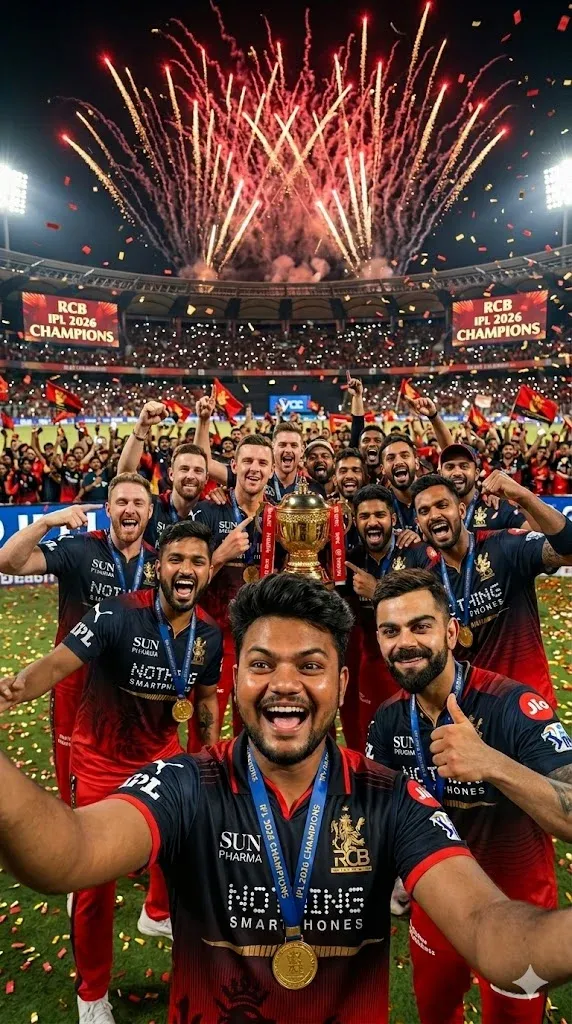
3. Trophy Victory Moment with Virat Kohli
Build a cinematic trophy celebration around a young supporter and a famous cricket-star-inspired figure. Specify a trophy held prominently, golden confetti, stadium lights, realistic sports photography, and a clear separation between foreground subjects and the crowd. Check faces, fingers, jersey lettering, and trophy details after generation.
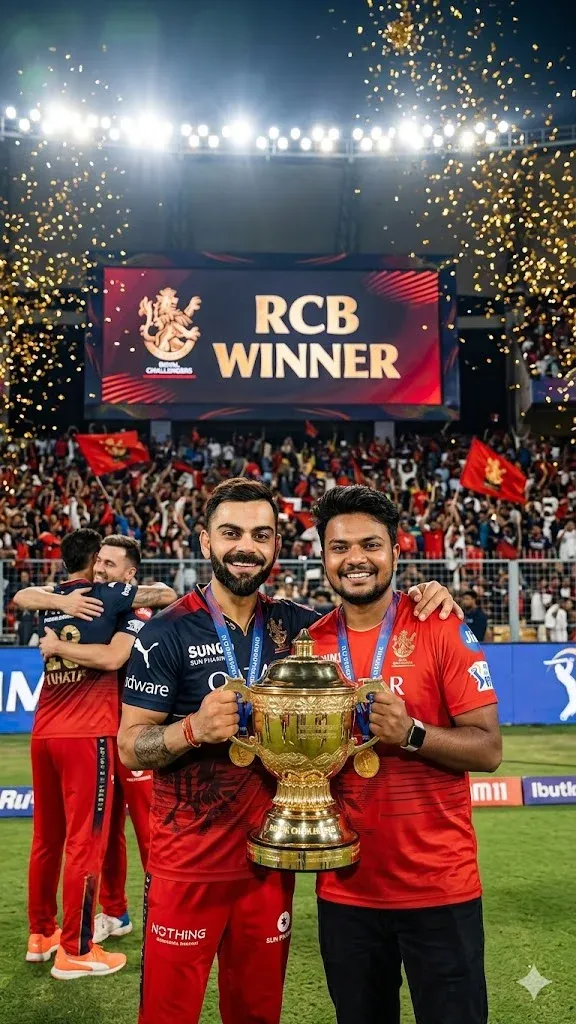
4. Riding on Virat Kohli’s Shoulders After Victory
For a playful victory poster, describe a young fan perched safely on a player’s shoulders in a celebratory stadium scene. Include red-and-black fan apparel, a trophy celebration, fireworks in the distance, realistic proportions, and a joyful atmosphere. Keep the main subjects centered and avoid extra limbs or distorted hands.
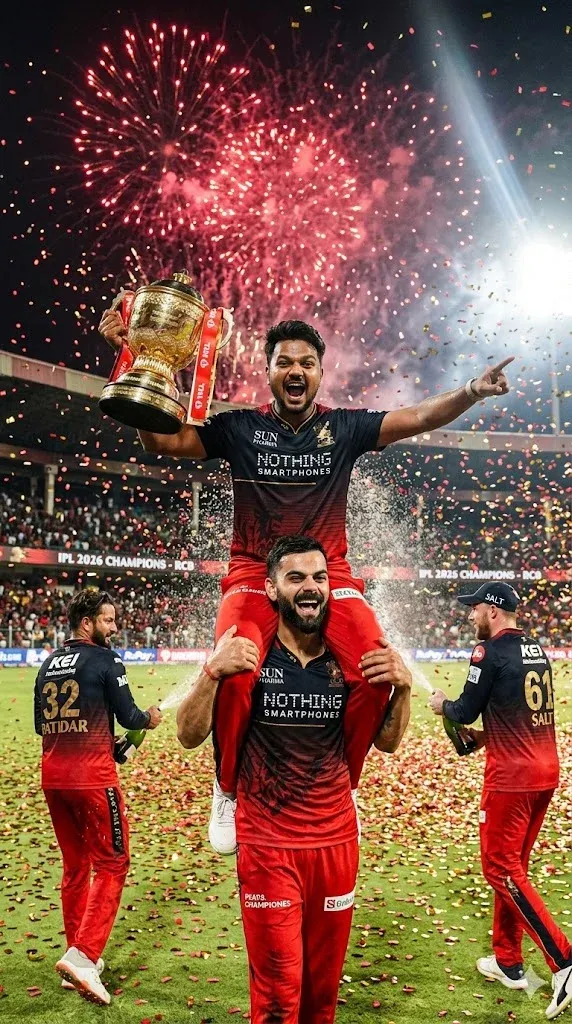
5. Cinematic RCB Stadium Poster Prompt
This prompt suits a dramatic stadium poster with a powerful central subject, illuminated stands, a deep red-and-black palette, and cinematic contrast. Ask for realistic fabric texture, crisp jersey details, atmospheric haze, and professional sports-poster framing without clutter or unreadable text.
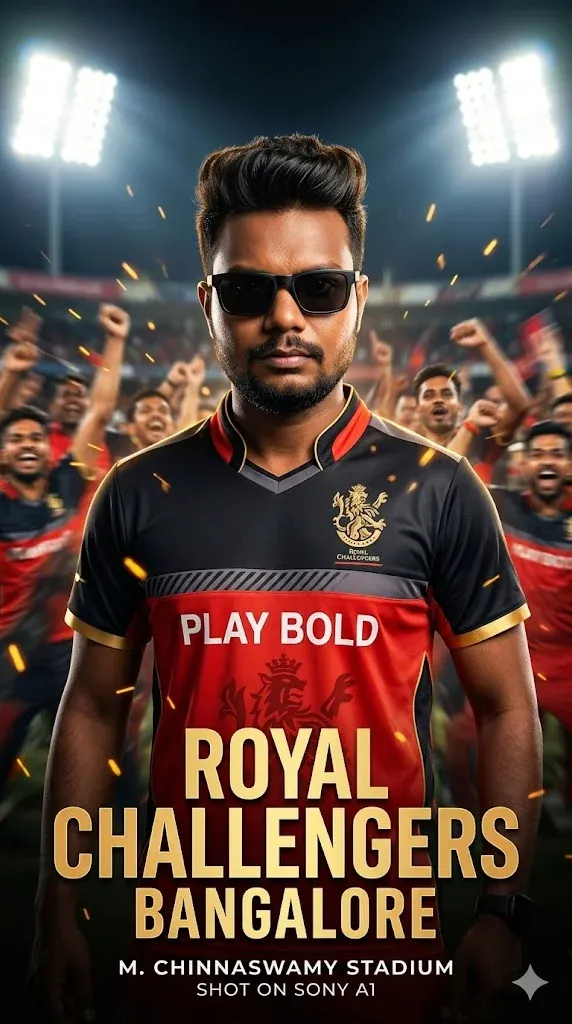
6. Virat Kohli Trophy Celebration Prompt
Create an indoor trophy celebration with a cricket-star-inspired subject and a young supporter standing together in a locker-room setting. Use warm overhead lighting, subtle team colors, realistic skin texture, and the trophy as the visual focal point. Keep the room believable and avoid excessive decorative elements.
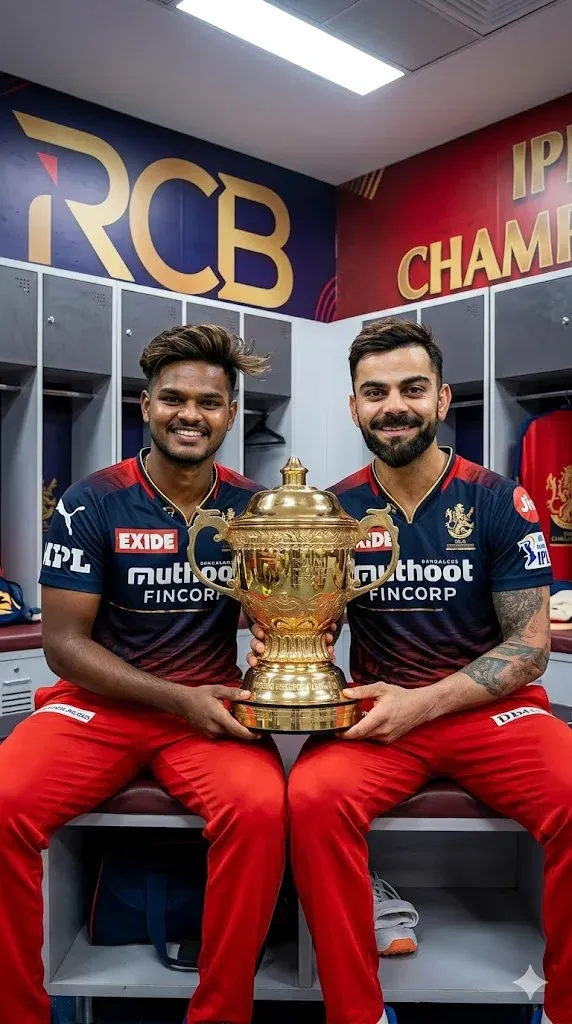
7. Custom RCB Jersey Identity Poster Prompt
Personalize the jersey poster by specifying the name and number to appear on the back or front of the shirt. Use your uploaded photo as a reference if needed, preserve the person’s facial features, and request a clean sports-poster layout with strong lighting. AI text can be inaccurate, so add final lettering manually if exact spelling matters.
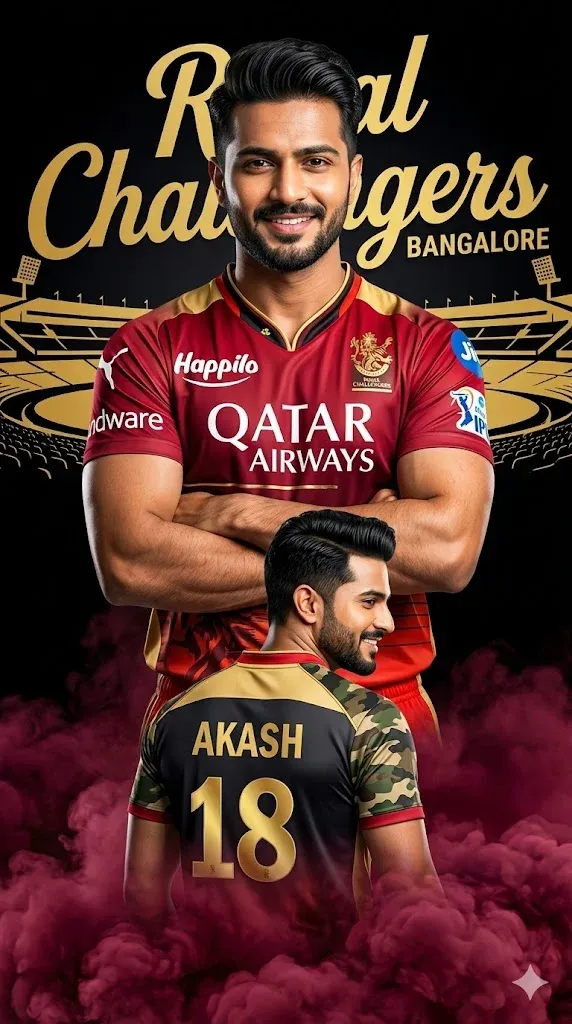
8. RCB Selfie With Virat Kohli Prompt
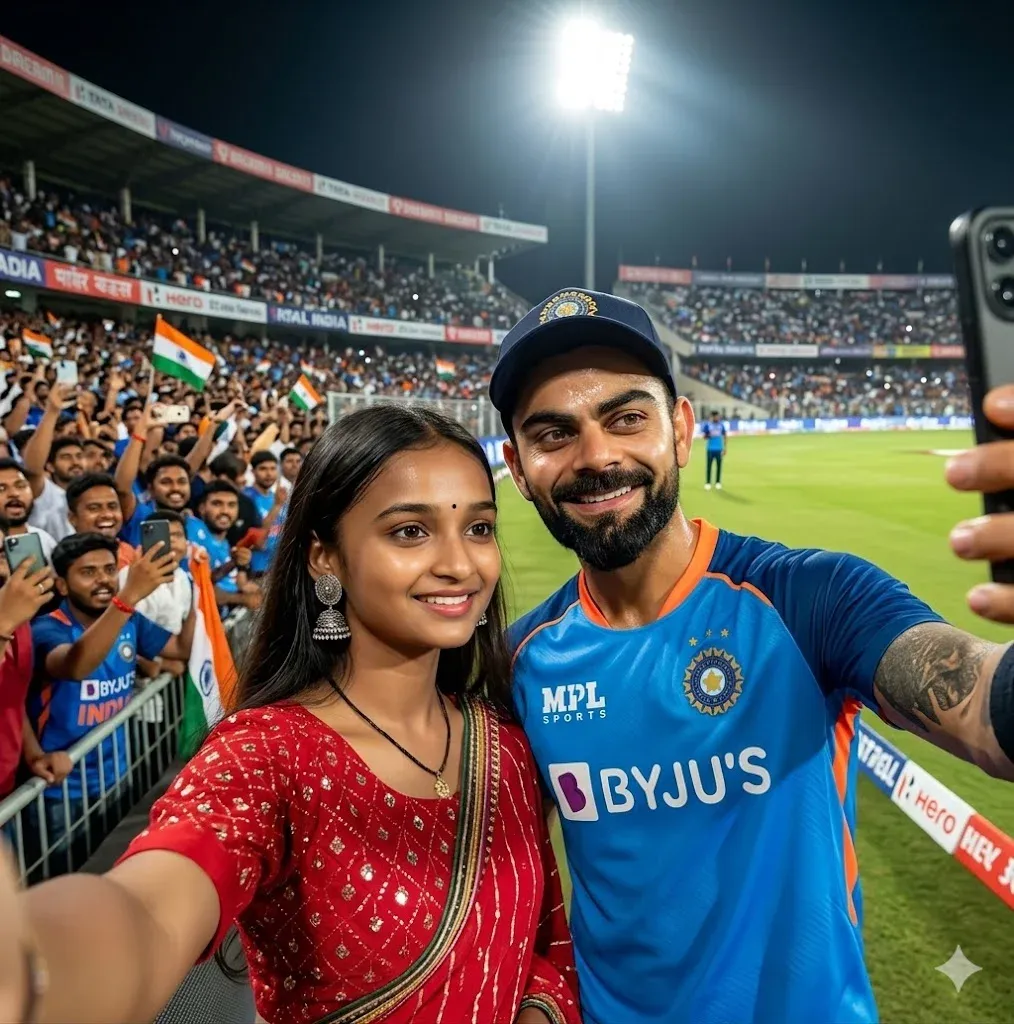
For a natural fan selfie, place the supporter and a cricket-star-inspired figure near the stadium boundary under bright floodlights. Request a phone-camera perspective, candid expressions, realistic jersey fabric, and a softly blurred crowd. Keep the faces in focus and avoid making the scene look overly airbrushed.
9. RCB Forever Fan Back Pose Poster Prompt
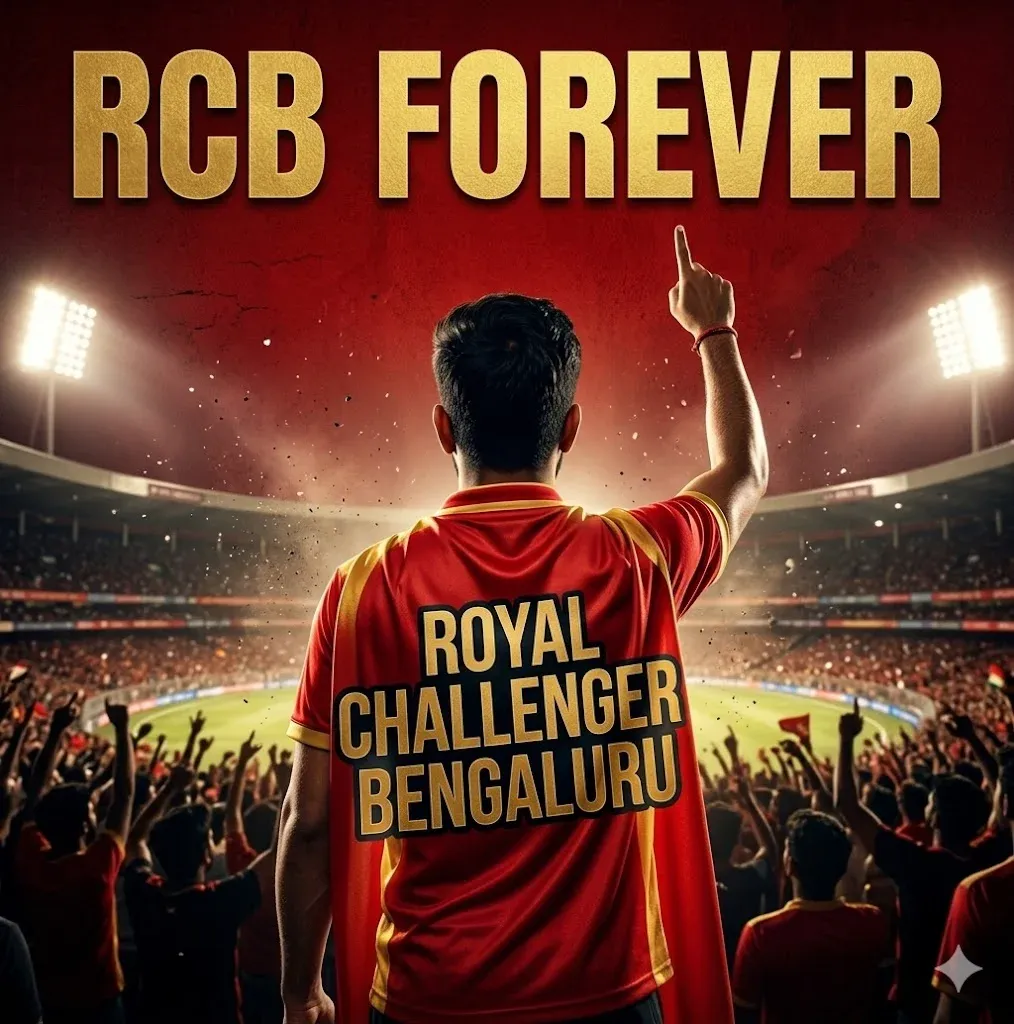
This concept focuses on team loyalty through a back-view portrait of a supporter facing the field. Describe a detailed RCB-inspired jersey, stadium lights, a lively crowd, and a short phrase such as “RCB Forever.” Leave clear space for lettering and add exact text in an editor if the generated words are incorrect.
How to Use RCB Prompt in Gemini
- Go to Google Gemini and start a new chat.
- If your rcb prompt for gemini is based on your own image, first upload your photo.
- Take your selected rcb prompt and paste it into Gemini exactly as written.
- After pasting the gemini rcb prompts, click generate and wait for the result.
FAQs
How do I use an RCB prompt in Gemini?
Open Gemini and start a new conversation. Upload your photo if the edit should retain your appearance, then paste a prompt from the matching box below an image. Review the first result and refine one or two details at a time, such as jersey color, pose, lighting, or background.
What is the best RCB prompt for Gemini beginners?
Beginners should start with one subject, one clear pose, and a simple stadium or poster background. Add extra elements only after the first result looks right. This makes it easier to identify which instruction caused an unwanted change.
Can I upload my own photo for an RCB jersey edit in Gemini?
Yes. Upload a clear, well-lit photo and explain which features should remain unchanged, such as facial identity, hairstyle, or pose. Then describe the RCB-inspired jersey and new background. Results can still vary, so compare the generated image with your original before using it.
Why is my Gemini RCB prompt not giving the right result?
If the image looks wrong, simplify the prompt and specify the most important details first. Name the jersey colors, pose, scene, and lighting clearly. If faces, logos, or lettering look distorted, regenerate the image or correct small details with an image editor.
Can I use the same RCB prompt style for other IPL teams?
Yes. Keep the same prompt structure and replace the team name, kit colors, and relevant visual details for another IPL team. Use team names and marks thoughtfully, and remember that AI may not reproduce official logos or jersey designs accurately.
Final Words
Strong RCB Gemini prompts work best when they clearly describe the subject, kit, setting, pose, and lighting. Use these nine ideas as starting points for fan selfies, jersey edits, trophy scenes, and cinematic posters, then adjust the details to match your own creative direction. For related inspiration, explore our RCB ChatGPT prompts, broader Gemini photo-making prompts, and Google Gemini photo-editing prompts. You can also browse viral AI photo prompts for more social-media concepts.